Conference Microphone Rental for Clear Audio
A conference can have a strong agenda, polished presentations, and a full room, then lose momentum the moment attendees cannot hear a question from the floor. Conference microphone rental is not simply a matter of adding a few wireless mics to a stage. It is a coverage, coordination, and support decision that affects every speaker, panelist, remote participant, and audience member.
For corporate meetings, industry summits, association events, and trade-show education sessions, the right microphone plan makes communication feel effortless. The wrong plan creates delays, uneven volume, distracting feedback, and a production team scrambling while the program is already underway. The goal is clear speech that reaches the room, the recording, and any virtual audience without forcing presenters to think about the technology.
Start Conference Microphone Rental With the Room
The room determines more than the number of microphones you need. Ceiling height, seating layout, stage size, hard surfaces, nearby exhibit noise, and whether sessions are being recorded all affect the audio design. A small boardroom with 20 participants has very different needs than a ballroom keynote, a multi-room conference, or a convention-center breakout program.
Begin with the program flow. Identify who will speak, where they will stand or sit, how often they will change positions, and whether the audience will participate. A keynote speaker who moves across a wide stage generally needs a different solution than a moderator seated at a table with five panelists. If a presenter will demonstrate products, carry notes, or use a slide clicker, a hands-free microphone may be the practical choice.
It also helps to plan for transitions, not just speaking time. A microphone that works well for one presenter can become a bottleneck when three speakers need to take the stage quickly. For events with frequent handoffs, a properly coordinated wireless system and an experienced audio technician can prevent awkward pauses between sessions.
Match Microphone Types to the Program
There is no single best microphone for every conference. A reliable plan usually combines several types based on the roles in the room.
Handheld wireless microphones are flexible, familiar, and well suited to moderators, presenters, and audience Q&A. They are easy to pass between speakers, but they require people to hold the mic close enough to speak clearly. For a seated panel, repeated passing can interrupt the conversation.
Wireless lavalier microphones clip to clothing and give presenters freedom to move. They work especially well for keynote speakers, trainers, and hosts who need both hands available. Placement matters, however. Clothing rustle, jewelry, scarves, and poorly positioned capsules can affect sound quality. A crew should test each lavalier with the presenter before doors open.
Wireless headworn microphones offer more consistent volume than lavaliers because the capsule stays close to the speaker’s mouth. They are an excellent choice for energetic presenters, fitness-style demonstrations, or speakers who move through the audience. Some clients prefer the lower-profile appearance of a lavalier, so this is often a trade-off between visual preference and maximum vocal consistency.
Gooseneck podium microphones are a dependable option for formal remarks, awards, and speakers who remain at a lectern. They look professional and reduce the need for a speaker to manage a handheld mic. Still, a podium microphone should not be the only plan when speakers are likely to step away from the lectern to engage the audience.
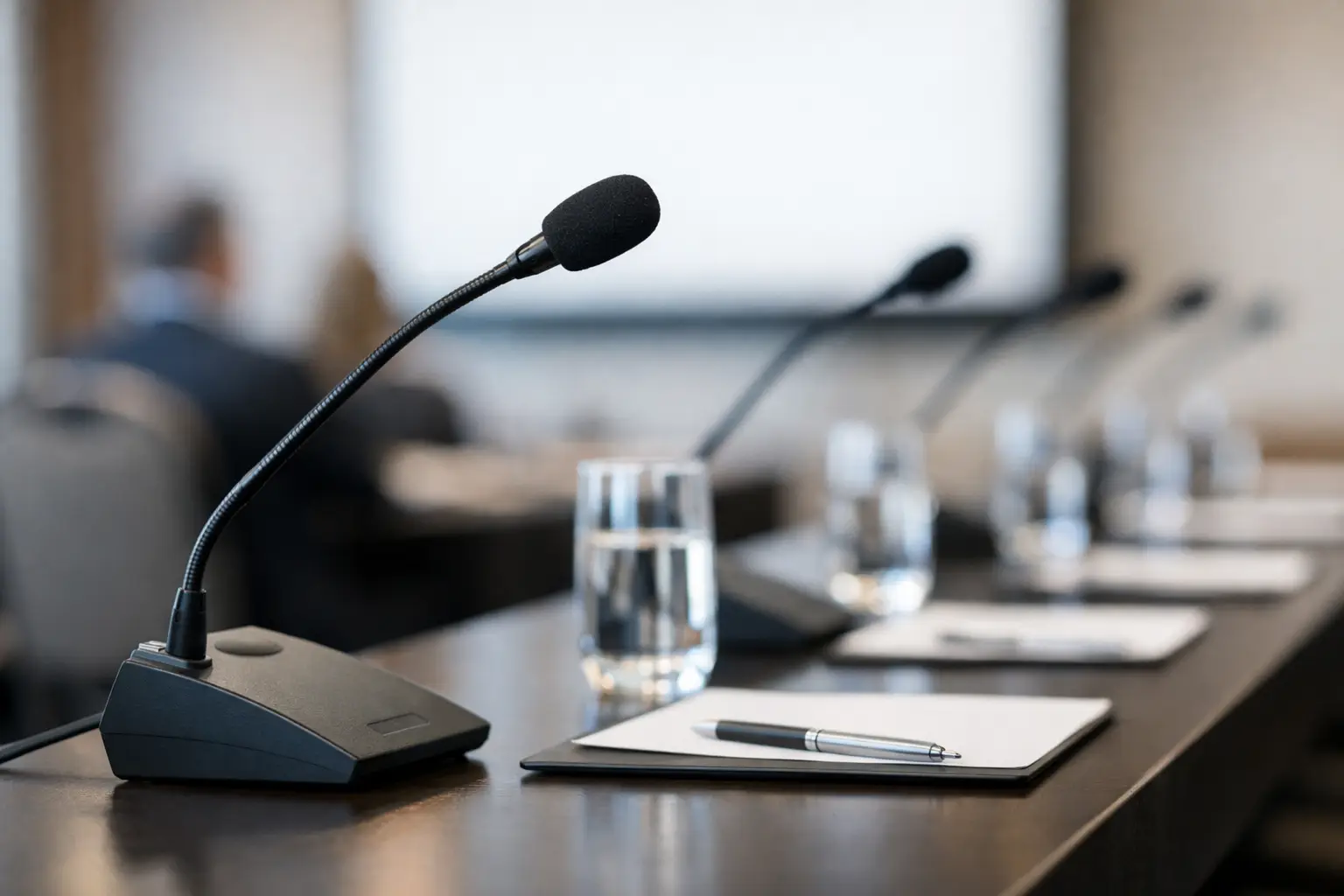
For panel tables, tabletop gooseneck microphones give each participant a dedicated source and create a clean, organized setup. Boundary microphones can also work across a table, particularly when visual simplicity is the priority, but they pick up more surrounding sound. In a lively room or a panel with active note-taking and side conversations, individual microphones usually deliver better control.
Do Not Treat Audience Q&A as an Afterthought
Audience questions often become the weakest part of conference audio. A speaker may be amplified clearly while an attendee asks a question from 30 feet away with no microphone. People in the back cannot hear it, remote viewers miss it entirely, and the presenter has to repeat the question before responding.
For a smaller room, one or two handheld wireless microphones managed by staff can be enough. In a larger ballroom, dedicated Q&A runners may be necessary. Some conferences use floor stands in aisle locations, though this only works when attendees are comfortable walking to them and the session format allows time.
If the event includes livestreaming, recording, captions, or a hybrid audience, every spoken question should be captured through the sound system. Room microphones rarely provide the same clarity as a close microphone, especially in venues with crowd noise or HVAC systems. Building Q&A into the microphone count from the beginning protects both the in-room and online experience.
Plan for Wireless Coordination and Backup
Wireless microphones depend on available radio frequency, and conference venues can be crowded environments. Hotels, convention centers, neighboring ballrooms, broadcast operations, and other vendors may all be using wireless equipment. Simply turning on several systems without coordination risks interference, dropouts, or channels stepping on one another.
A professional rental partner should coordinate frequencies, scan the environment during setup, and assign each microphone intentionally. This becomes especially important for multi-room programs, large speaker counts, and events in busy markets such as Los Angeles, San Francisco, San Diego, or Las Vegas, where venues may host multiple programs at the same time.
Backup planning matters just as much. A prepared audio team brings spare batteries, replacement transmitters, extra handhelds, and a clear plan for switching equipment quickly. A backup does not mean expecting failure. It means protecting the schedule if a battery door is damaged, a presenter changes wardrobe, or a microphone is accidentally left powered on between sessions.
The Sound System Must Support the Microphones
Microphones are only one part of the signal path. The room also needs appropriately placed speakers, a mixer, signal processing, and an operator who can balance the program in real time. Renting excellent microphones without the right PA system can still result in poor coverage, feedback, or speech that is loud near the stage and weak at the back of the room.
The right speaker approach depends on the venue and audience size. A compact conference room may need discreet speakers that support speech without overwhelming nearby tables. A large ballroom may require distributed sound so attendees hear clear audio wherever they sit. For general sessions, breakout rooms, and overflow spaces, consistency between rooms helps the event feel organized and professional.
Audio also has to work with video. If presentations include walk-up music, playback videos, remote callers, interpretation, or recording feeds, those elements should be planned through the same audio system. Treating each need as a separate last-minute request is one of the fastest ways to complicate setup and create avoidable costs.
Decide How Much On-Site Support You Need
Standalone conference microphone rental can be a good fit for experienced in-house AV teams or simple programs with a stable agenda. The client may only need a specific number of wireless handhelds, lavaliers, podium microphones, and batteries delivered to the venue.
Full-service support is often the better choice when the agenda includes multiple sessions, high-profile speakers, changing room layouts, hybrid components, or limited venue staff. An audio technician can handle sound checks, monitor battery status, adjust levels for different voices, cue walk-up music, manage Q&A, and respond immediately if the program changes.
This is not only about technical complexity. It is also about who owns the pressure during the event. When a planner is coordinating speakers, catering, registration, and executive expectations, asking them to troubleshoot audio is rarely a good use of their time. One accountable production partner can manage equipment, setup, live operation, and teardown while the event team focuses on guests and program delivery.
Share the Right Details Before You Rent
A useful microphone quote starts with a clear picture of the event. Share the venue, room dimensions or floor plan, attendee count, schedule, speaker count, panel formats, and whether recording or streaming is involved. Mention any special requirements, such as a presenter who uses a wheelchair, a speaker who will perform a demo, or a client who wants minimal equipment visible on stage.
Be realistic about the agenda. If the schedule says four panelists but one session may add a guest speaker, plan for it. If audience Q&A is expected, include it. If a keynote presenter prefers a lavalier but has never used one, schedule a quick sound check and keep a handheld available nearby. Small decisions made before load-in are far easier to manage than changes made with an audience waiting.
GeoEvent supports conference audio with rental equipment, experienced technicians, and complete production coordination when the program calls for it. Whether you need a focused microphone package or a crew managing audio alongside staging, lighting, video, and staffing, the priority remains the same: make every voice easy to hear.
The best time to solve conference audio is before the first attendee enters the room. Give your production team a detailed agenda, allow time for sound checks, and choose support that matches the stakes of the program. Clear communication is one of the most visible signs of a well-run event.